From sketch to a clear job sheet
Zetprofiel wanted to automate the drawing and calculation of custom sheet metal profiles. Together, we designed an order portal around their existing workflow. The main challenge was the profile editor, making it easy to draw in the browser while keeping the printed result clear on the factory floor.

Client

- Industry
- Manufacturing
- Location
- Heteren
Team


The challenge
An order starts with a sketch
A contractor on a building site needs a metal profile. They sketch the shape, add dimensions and angles, and email a photo: four of these, in this length and material. Orders like this arrived at the planning desk at Zetprofiel in Heteren. The company cuts and bends sheet metal into custom profiles, including parts for roofing and cladding.
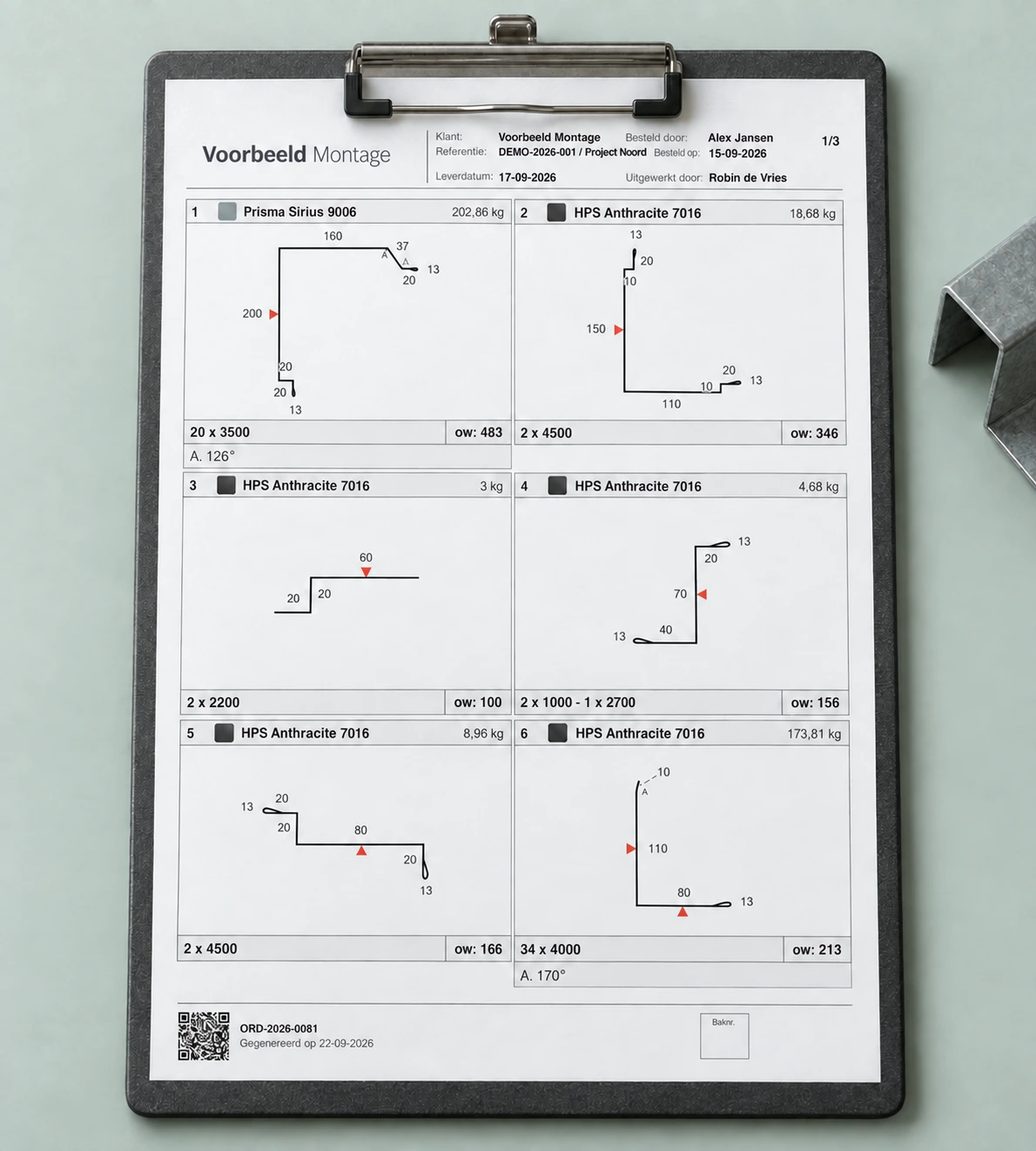
The staff turned each request into a job sheet for production. They calculated the material needed, worked out the weight and price, and put the information on an A4 sheet. Often, the original photo of the sketch went onto the sheet too, with dimensions written more clearly alongside it. Someone on the factory floor then had to work from that page.
The work behind the drawing
Preparing each sheet involved considerable manual work for the planning team. Redrawing a sketch in a general drawing program only helped so far: that program knows nothing about sheet metal profiles, material selection or the calculations needed for an order.
One key measurement is the developed width: how wide must the flat strip of material be before it is bent into a profile? Together with the length and material properties, this determines the weight. Zetprofiel prices its work per kilogram, so the same information is needed to price the order. The request for a drawing tool therefore touched the entire order process.
The question behind the question
Software for an established way of working
We visited Zetprofiel to see the work at the planning desk and in production. The ambition was clear: the company wanted to automate more of its existing operations. The software needed to fit the way people already worked.
Together, we mapped out what this would require. A profile needs a material, and an order belongs to a customer. Pricing needs material prices and customer agreements. The drawing tool took its place in an order portal that brings this information together.
Deciding together what a useful first version needs
We broke the work down into an estimate with priorities. That gave us a way to discuss what was essential and where a simpler starting point was possible. Scheduling price changes in advance, for example, requires more software than keeping one current price and changing it on the day it takes effect.
Zetprofiel chose a substantial initial scope. It already had an established production operation and wanted suitable software to support it. There was no need to test demand for the product with a minimal first version. Our role was to explain the consequences of each choice: what information needs to be stored, which functions does that require, and how much work is involved?
You cannot zoom in on paper
Zetprofiel sent us existing job sheets for the drawing tool. We recreated those profiles and showed how they appeared in the software. Then came more difficult examples. Dimensions overlapped, an angle was hard to read, or a label appeared in an awkward position. The people working with these profiles every day could tell us exactly what needed to be clearer.
The same applied to the PDF job sheet. On screen, thin grey lines and subtle changes in shading looked neat. After printing on a laser printer, some of the information was hard to read. A production worker takes the sheet from a tray and carries it onto the factory floor. You cannot zoom in on that piece of paper. We adjusted the layout for the printed result, making sure the dimensions and shape were clear there.
Technology that makes the difference
Keeping difficult profiles clear
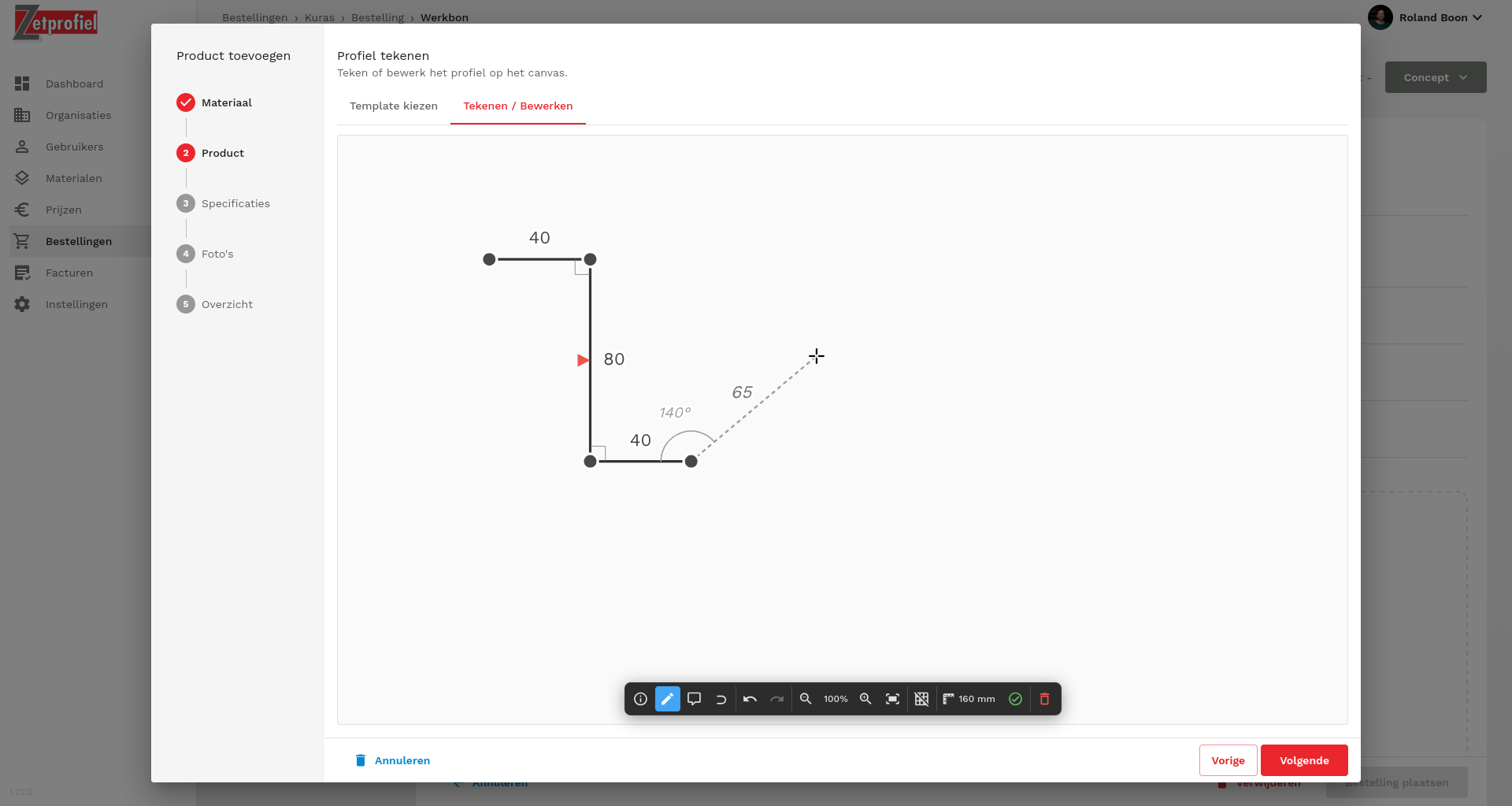
A profile consists of lines and angles. Once a shape has many short sides or closely spaced bends, showing all its dimensions clearly becomes difficult. We developed calculations to determine where labels can sit and check whether they overlap each other or other parts of the drawing.
Each improvement also needed to preserve the profiles that already displayed correctly. That shaped both the structure of the editor and the way we checked it. Calculations, user actions and drawing on screen each received their own place in the code.
Calculating without drawing
We store the profile as data: points, sides and their properties. A separate layer handles actions such as adding a side, changing a dimension or rotating the profile. It can be tested without displaying anything on screen.
The geometry functions calculate from that data. They determine things such as the length of a side, the developed width and the coordinates for a label. React then draws the lines, angles and dimensions. The component displaying a label does not need to calculate where that label belongs.
This separation helped when we extended the flat pattern calculation. For thicker sheet metal, adding up the sides is not enough: the deformation caused by bending also matters. We could add that bend correction to the separate calculation function without rebuilding the controls and display.
Keeping the difficult examples
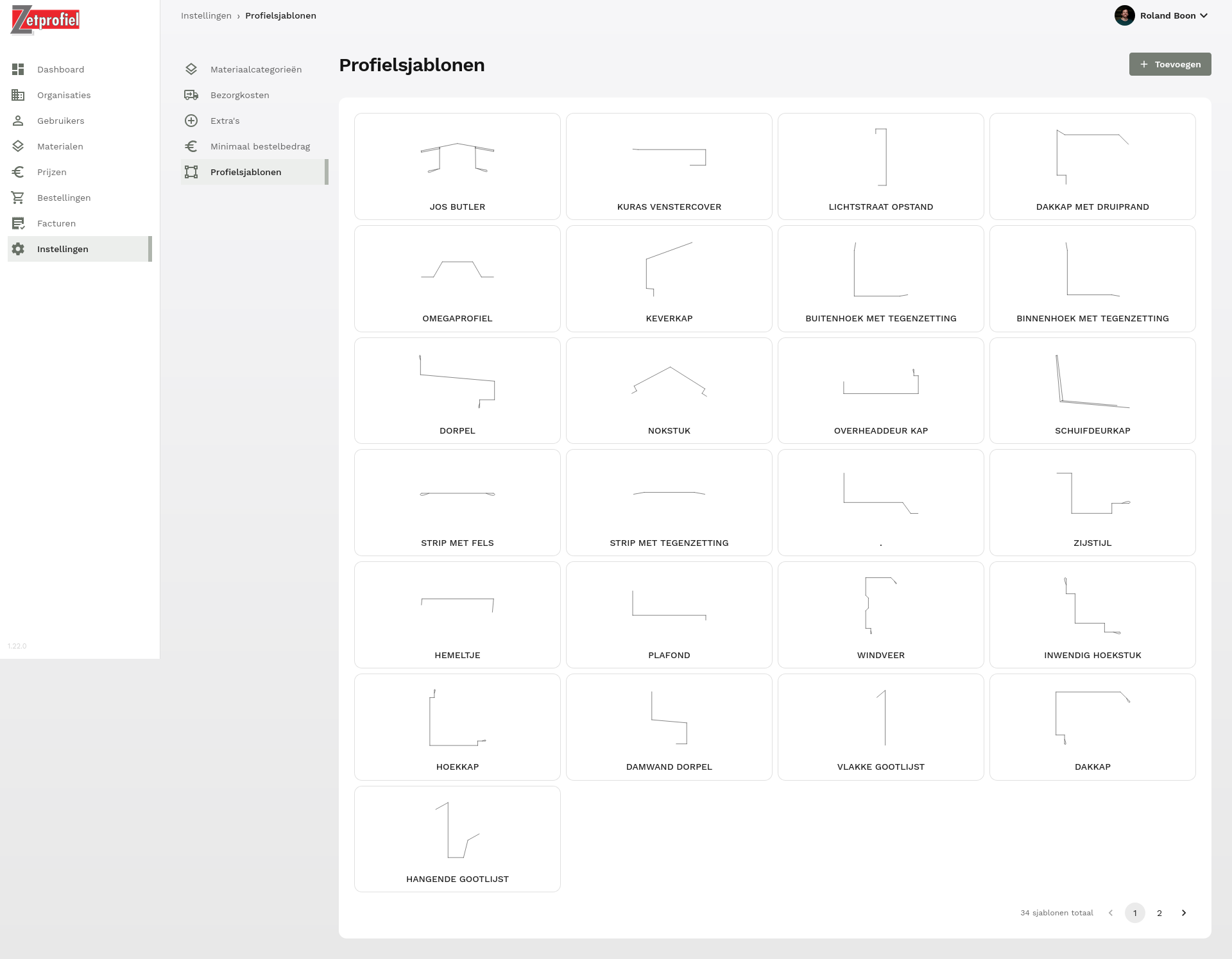
For a calculation, a Glossary · In briefunit testA unit test is an automated test of a small, defined software component, usually isolated from external systems.Read more can specify the expected result. For a drawing, you also want to see whether the information remains clear. We built an internal test view with a collection of complex profiles. When changing the display, we could render them again and inspect them side by side.
The drawings are built as SVG: lines, text and coordinates that can also be checked as data. We combined those checks with visual inspection. A change that fixes the latest problem should not quietly make the dimensions of an earlier profile unreadable.
Zetprofiel continued trying new shapes in the test version and sending examples back. Sometimes the feedback was very specific: this label belongs there, this angle needs to be shown differently. Our technical checks and their practical knowledge complemented each other.
What it made possible
Drawing and calculation in one order
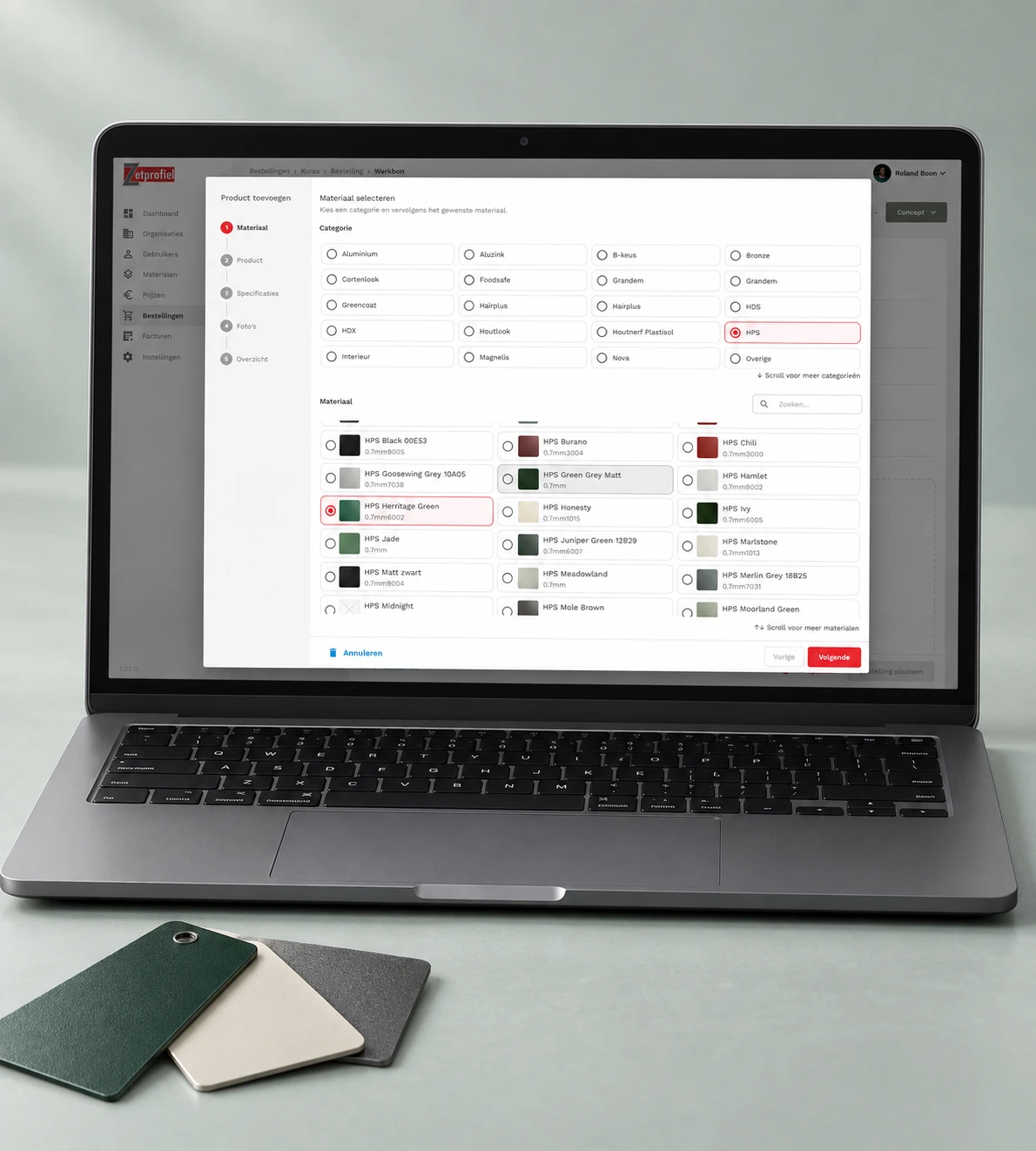
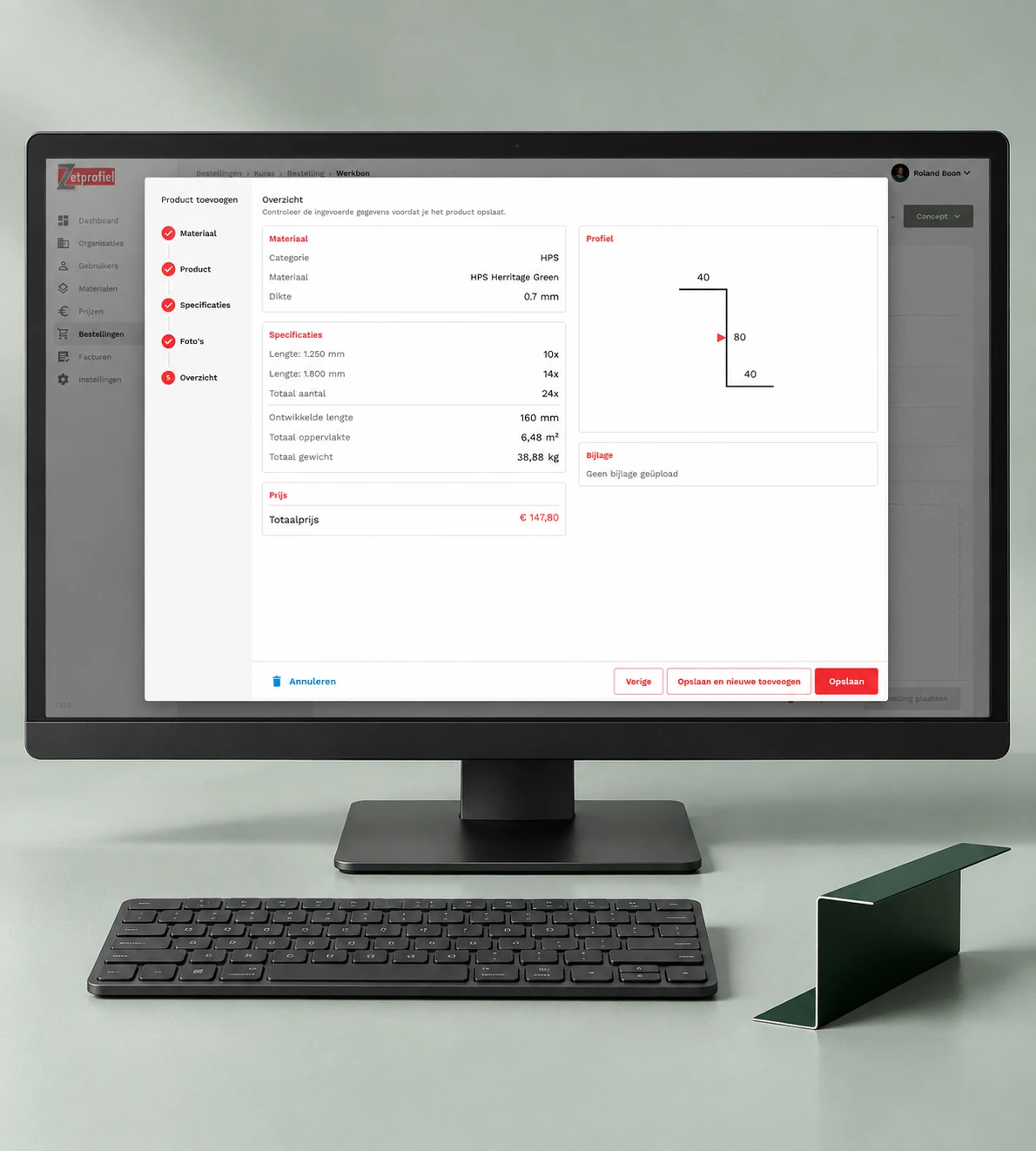
In the portal, Zetprofiel can choose a material, draw the profile, and add lengths and quantities. The software calculates the developed width, weight and price. That order produces the job sheet for the factory floor. The drawing and information that used to be assembled by hand now come from the same input.
The working process remains familiar too. The planning team can prepare an order on a customer's behalf, and a printed sheet still serves its purpose on the factory floor. The portal also supports customers placing their own orders. The internal Glossary · In briefworkflowAn agreed sequence of tasks, decisions and handovers used to take work from start to finish.Read more provided the starting point for that extension.
On to the next practical question
We continue developing the portal with Zetprofiel. New profile shapes and requests for changes to the display keep giving us reasons to improve the software. Zetprofiel's staff speak directly with our developers. With the knowledge we have built up, a short explanation is often enough; when something is unclear, we call to talk it through.
That ongoing development follows the same approach: look at a concrete example from production, adjust the software, and check that the existing profiles still work correctly.
What we take forward
What Zetprofiel taught us
At Zetprofiel, the most useful design decisions came from understanding the work at the planning desk and on the factory floor. Three lessons we take into future projects.
Follow the work through to the user
The request for a drawing tool took us from the planning desk to the printed job sheet. That showed us which information the software needed to capture.
In future projects
We look at where information comes from and who needs to use it further along the process. That helps us agree on the scope of the product.
Test where the result will be used
A drawing that looked clear on screen could become hard to read on paper. Existing job sheets and difficult profiles became our test material.
In future projects
We assess the output in its actual setting and keep difficult examples to check later changes against.
Give domain rules their own place
Calculations were separate from the controls and display. That allowed us to add bend corrections to the flat pattern calculation.
In future projects
We separate changing domain rules from the interface so we can adjust and test them independently.
Ewout

Which manual work would you like to automate?
Tell us how the work gets done today and where it gets difficult. We can help you work out what the software should take over and how it can fit your processes.