SideBySide variants
Variants on this page
- White with shapes (right, left)
- Light grey with polygons (right, left)
- Dark secondary with polygons (right, left) + white in between
- Dark primary with polygons (right, left) + white in between
- Dark gray with polygons (right, left) + white in between
- Sticky content with multiple images or a long code block
- Sticky content that changes per image or per code line
TECHNIQUE 1 • TECHNIQUE 2 • TECHNIQUE 3
White — image left
Lorem ipsum dolor sit amet, consectetur adipiscing elit. Pellentesque sed lacus ultrices, blandit elit vitae, imperdiet tortor.
Donec condimentum sit amet magna vel tincidunt. Sed ullamcorper tortor maximus, dignissim urna vulputate, tempor libero.
Read more
TECHNIQUE 1 • TECHNIQUE 2 • TECHNIQUE 3
White — image right
Lorem ipsum dolor sit amet, consectetur adipiscing elit. Pellentesque sed lacus ultrices, blandit elit vitae, imperdiet tortor.
Donec condimentum sit amet magna vel tincidunt. Sed ullamcorper tortor maximus, dignissim urna vulputate, tempor libero.
Discover our team
TECHNIQUE 1 • TECHNIQUE 2 • TECHNIQUE 3
Light grey — image left
Lorem ipsum dolor sit amet, consectetur adipiscing elit. Pellentesque sed lacus ultrices, blandit elit vitae, imperdiet tortor.
Donec condimentum sit amet magna vel tincidunt. Sed ullamcorper tortor maximus, dignissim urna vulputate, tempor libero.
Read more
TECHNIQUE 1 • TECHNIQUE 2 • TECHNIQUE 3
Light grey — image right
Lorem ipsum dolor sit amet, consectetur adipiscing elit. Pellentesque sed lacus ultrices, blandit elit vitae, imperdiet tortor.
Donec condimentum sit amet magna vel tincidunt. Sed ullamcorper tortor maximus, dignissim urna vulputate, tempor libero.
Discover our team
TECHNIQUE 1 • TECHNIQUE 2 • TECHNIQUE 3
Dark secondary — image left
Lorem ipsum dolor sit amet, consectetur adipiscing elit. Pellentesque sed lacus ultrices, blandit elit vitae, imperdiet tortor.
Donec condimentum sit amet magna vel tincidunt. Sed ullamcorper tortor maximus, dignissim urna vulputate, tempor libero.
Read more
TECHNIQUE 1 • TECHNIQUE 2 • TECHNIQUE 3
White spacer — image right
Lorem ipsum dolor sit amet, consectetur adipiscing elit. Pellentesque sed lacus ultrices, blandit elit vitae, imperdiet tortor.
Discover our team
TECHNIQUE 1 • TECHNIQUE 2 • TECHNIQUE 3
Dark secondary — image right
Lorem ipsum dolor sit amet, consectetur adipiscing elit. Pellentesque sed lacus ultrices, blandit elit vitae, imperdiet tortor.
Donec condimentum sit amet magna vel tincidunt. Sed ullamcorper tortor maximus, dignissim urna vulputate, tempor libero.
Discover our team
TECHNIQUE 1 • TECHNIQUE 2 • TECHNIQUE 3
White spacer — image left
Lorem ipsum dolor sit amet, consectetur adipiscing elit. Pellentesque sed lacus ultrices, blandit elit vitae, imperdiet tortor.
Read more
TECHNIQUE 1 • TECHNIQUE 2 • TECHNIQUE 3
Dark primary — image right
Lorem ipsum dolor sit amet, consectetur adipiscing elit. Pellentesque sed lacus ultrices, blandit elit vitae, imperdiet tortor.
Donec condimentum sit amet magna vel tincidunt. Sed ullamcorper tortor maximus, dignissim urna vulputate, tempor libero.
Discover our team
TECHNIQUE 1 • TECHNIQUE 2 • TECHNIQUE 3
White spacer — image left
Lorem ipsum dolor sit amet, consectetur adipiscing elit. Pellentesque sed lacus ultrices, blandit elit vitae, imperdiet tortor.
Read more
TECHNIQUE 1 • TECHNIQUE 2 • TECHNIQUE 3
Dark primary — image left
Lorem ipsum dolor sit amet, consectetur adipiscing elit. Pellentesque sed lacus ultrices, blandit elit vitae, imperdiet tortor.
Donec condimentum sit amet magna vel tincidunt. Sed ullamcorper tortor maximus, dignissim urna vulputate, tempor libero.
Read more
TECHNIQUE 1 • TECHNIQUE 2 • TECHNIQUE 3
White spacer — image right
Lorem ipsum dolor sit amet, consectetur adipiscing elit. Pellentesque sed lacus ultrices, blandit elit vitae, imperdiet tortor.
Discover our team
TECHNIQUE 1 • TECHNIQUE 2 • TECHNIQUE 3
Dark gray — image left
Lorem ipsum dolor sit amet, consectetur adipiscing elit. Pellentesque sed lacus ultrices, blandit elit vitae, imperdiet tortor.
Donec condimentum sit amet magna vel tincidunt. Sed ullamcorper tortor maximus, dignissim urna vulputate, tempor libero.
Read more
TECHNIQUE 1 • TECHNIQUE 2 • TECHNIQUE 3
White spacer — image right
Lorem ipsum dolor sit amet, consectetur adipiscing elit. Pellentesque sed lacus ultrices, blandit elit vitae, imperdiet tortor.
Discover our team
TECHNIQUE 1 • TECHNIQUE 2 • TECHNIQUE 3
Dark gray — image right
Lorem ipsum dolor sit amet, consectetur adipiscing elit. Pellentesque sed lacus ultrices, blandit elit vitae, imperdiet tortor.
Donec condimentum sit amet magna vel tincidunt. Sed ullamcorper tortor maximus, dignissim urna vulputate, tempor libero.
Discover our team
MULTIPLE IMAGES
Sticky content — images right
Lorem ipsum dolor sit amet, consectetur adipiscing elit. Pellentesque sed lacus ultrices, blandit elit vitae, imperdiet tortor.
Donec condimentum sit amet magna vel tincidunt. Sed ullamcorper tortor maximus, dignissim urna vulputate, tempor libero. The content and shapes stay sticky while the images scroll past.
Discover our team
MULTIPLE IMAGES
Sticky content — images left
Lorem ipsum dolor sit amet, consectetur adipiscing elit. Pellentesque sed lacus ultrices, blandit elit vitae, imperdiet tortor.
Donec condimentum sit amet magna vel tincidunt. Sed ullamcorper tortor maximus, dignissim urna vulputate, tempor libero. The content and shapes stay sticky while the images scroll past.
Read more
STICKY MEDIA
Sticky content — long code block
Lorem ipsum dolor sit amet, consectetur adipiscing elit. Pellentesque sed lacus ultrices, blandit elit vitae, imperdiet tortor.
Donec condimentum sit amet magna vel tincidunt. The content and shapes stay sticky while you scroll through the long code block, until you reach the end.
Read moreimport { component$, useSignal, useTask$ } from "@builder.io/qwik";
interface Todo {
id: number;
title: string;
done: boolean;
}
export const TodoList = component$(() => {
const todos = useSignal<Todo[]>([]);
const filter = useSignal<"all" | "open" | "done">("all");
useTask$(({ track }) => {
track(() => filter.value);
console.log("Filter changed to", filter.value);
});
const addTodo = (title: string) => {
todos.value = [...todos.value, { id: Date.now(), title, done: false }];
};
const toggle = (id: number) => {
todos.value = todos.value.map((todo) =>
todo.id === id ? { ...todo, done: !todo.done } : todo,
);
};
const visible = todos.value.filter((todo) => {
if (filter.value === "open") return !todo.done;
if (filter.value === "done") return todo.done;
return true;
});
return (
<section>
<h2>Tasks ({visible.length})</h2>
<ul>
{visible.map((todo) => (
<li key={todo.id} onClick$={() => toggle(todo.id)}>
{todo.done ? "✓" : "○"} {todo.title}
</li>
))}
</ul>
</section>
);
});STICKY MEDIA
Sticky content — code block left
Lorem ipsum dolor sit amet, consectetur adipiscing elit. Pellentesque sed lacus ultrices, blandit elit vitae, imperdiet tortor.
Donec condimentum sit amet magna vel tincidunt. Sed ullamcorper tortor maximus, dignissim urna vulputate, tempor libero.
Read moreexport type Result<T, E = Error> =
| { ok: true; value: T }
| { ok: false; error: E };
export async function fetchJson<T>(url: string): Promise<Result<T>> {
try {
const response = await fetch(url);
if (!response.ok) {
return { ok: false, error: new Error(`HTTP ${response.status}`) };
}
const value = (await response.json()) as T;
return { ok: true, value };
} catch (error) {
return {
ok: false,
error: error instanceof Error ? error : new Error("Unknown error"),
};
}
}
export function unwrap<T>(result: Result<T>): T {
if (result.ok) return result.value;
throw result.error;
}STEP 1 — DISCOVER
Changing content — images right
While the first image sits at the top of the column, this copy stays in place. The anchor points at the image path.
Read moreSTEP 2 — DESIGN
Second image, second story
As soon as the second image reaches the top of the column, this slide takes over. Every slide has its own overline, title and action.
Discover our team
STEP 3 — BUILD
Just the file name
An anchor may be just the file name, as long as it is unique within the block.
STEP 4 — DELIVER
Closing on the last image
After the last slide the page simply scrolls on.
Anchor the image that triggers the change
Slides may use bullets instead of paragraphs
STEP 1 — DISCOVER
Changing content — images left
The image column sits on the left and the changing content on the right. The anchors work the same way.
STEP 2 — DESIGN
Second image, second story
Donec condimentum sit amet magna vel tincidunt. Sed ullamcorper tortor maximus, dignissim urna vulputate.
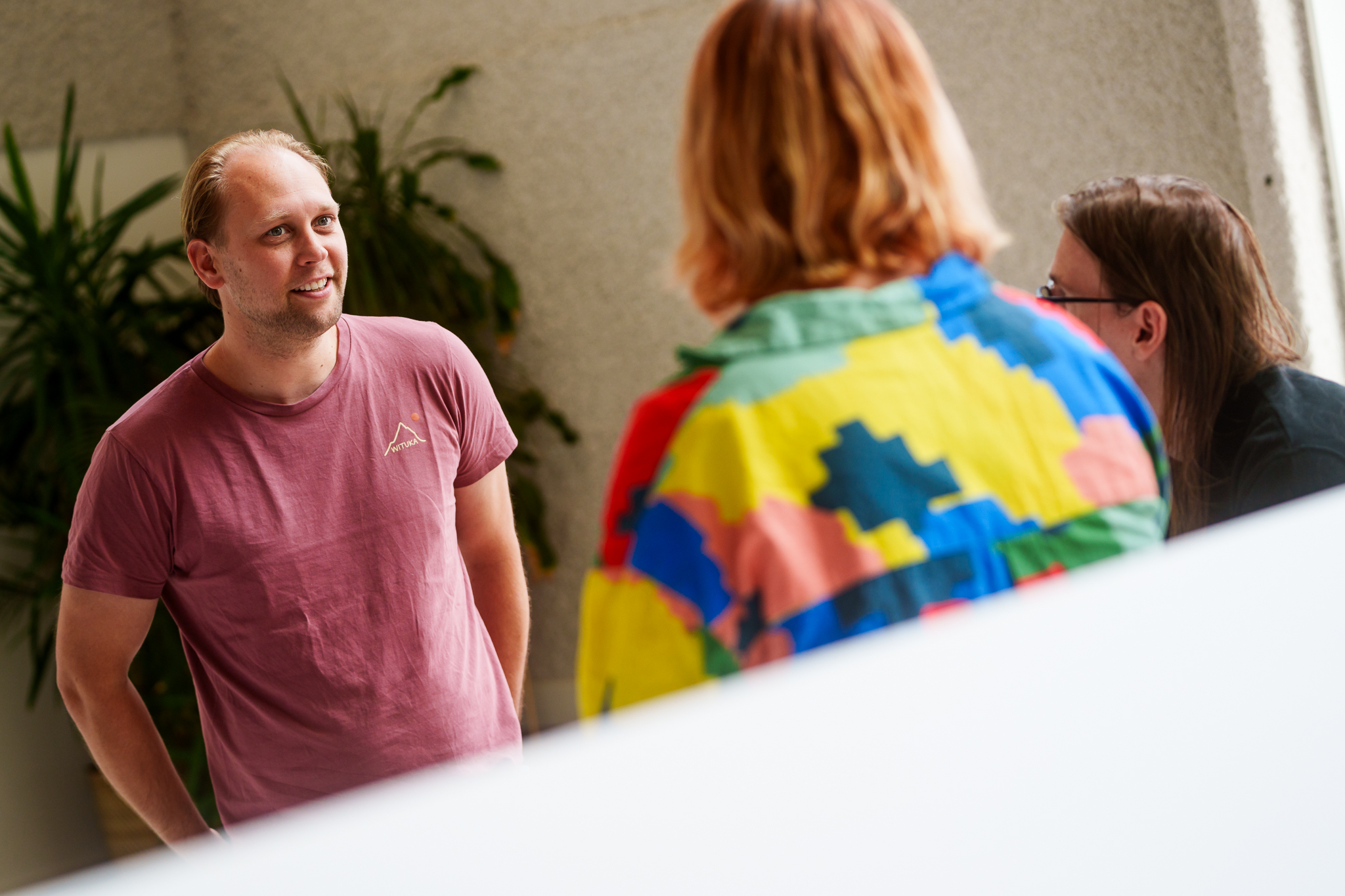
STEP 3 — BUILD
Third image, third story
Every image in the column has its own content block here, so the switches are easy to follow one by one.

LINE 1 — SETUP
Changing content — anchors in the code
For a code block the anchor points at a line of code. The content changes as soon as that line reaches the top of the column.
import { component$, useSignal, useTask$ } from "@builder.io/qwik";

interface CartLine {
  sku: string;
  quantity: number;
  price: number;
}

export const Cart = component$(() => {
  const lines = useSignal<CartLine[]>([]);
  const coupon = useSignal("");
LINE 13 — REACT
A task tracking the coupon code
An anchor may be the text of a code line; leading whitespace is ignored.
useTask$(({ track }) => {
    track(() => coupon.value);
    console.log("Coupon code changed", coupon.value);
  });

  const addLine = (line: CartLine) => {
    lines.value = [...lines.value, line];
  };

  const removeLine = (sku: string) => {
    lines.value = lines.value.filter((line) => line.sku !== sku);
  };
LINE 26 — COMPUTE
Deriving the subtotal
Does the same line appear more than once? Add occurrence="2" to pick the second one.
const subtotal = lines.value.reduce(
    (total, line) => total + line.quantity * line.price,
    0,
  );
LINE 31 — RENDER
Closing in the render
An anchor may also be a line number, which helps for lines that are not unique.
Read morereturn (
<section>
<h2>Cart ({lines.value.length})</h2>
<p>Subtotal: {subtotal.toFixed(2)}</p>
<button type="button" onClick$={() => removeLine("sku-1")}>
Remove last line
</button>
</section>
);
});import { component$, useSignal, useTask$ } from "@builder.io/qwik";
interface CartLine {
sku: string;
quantity: number;
price: number;
}
export const Cart = component$(() => {
const lines = useSignal<CartLine[]>([]);
const coupon = useSignal("");
useTask$(({ track }) => {
track(() => coupon.value);
console.log("Coupon code changed", coupon.value);
});
const addLine = (line: CartLine) => {
lines.value = [...lines.value, line];
};
const removeLine = (sku: string) => {
lines.value = lines.value.filter((line) => line.sku !== sku);
};
const subtotal = lines.value.reduce(
(total, line) => total + line.quantity * line.price,
0,
);
return (
    <section>
      <h2>Cart ({lines.value.length})</h2>
      <p>Subtotal: {subtotal.toFixed(2)}</p>
      <button type="button" onClick$={() => removeLine("sku-1")}>
        Remove last line
      </button>
    </section>
  );
});